Custom Solutions
ML Vision Pipeline, configured for your process
We take our production-grade inspection pipeline — the same engine behind Inventor and Roboscope — and configure it end-to-end for your assembly line and acceptance criteria. First use case live in one week.
How it works
- 01
Requirements
Click to expand ↓
- 02
Data Collection
Click to expand ↓
- 03
Model Training
Click to expand ↓
- 04
App Configuration
Click to expand ↓
- 05
Deployment
Click to expand ↓
01 — Requirements
We start with a structured requirements session — typically two to four hours — with your engineering and QC team. No prior AI or CV experience needed on your side.
Duration
0.5–1 day
Output
Signed-off requirements doc covering inspection scope, defect taxonomy, accuracy targets, and integration map.
What we define together
- Target part family Material, geometry, surface finish, and known failure modes.
- Defect taxonomy Exact defect classes — presence/absence, surface damage, dimensional deviation, markings, FOD.
- Acceptance criteria Set confidence floors per defect class. Below-threshold findings are automatically routed to qualified engineers rather than auto-accepted.
- Escalation rules Which findings require human review, who gets notified, and what data is attached.
- Integration map ERP/QMS endpoints, authentication, export format (JSON, CSV, image package).
- Deployment constraints Mobile OS version, network availability, device management, on-prem vs cloud backend.
Technology
How the pipeline works end-to-end.
01
Shop-Floor Data Capture
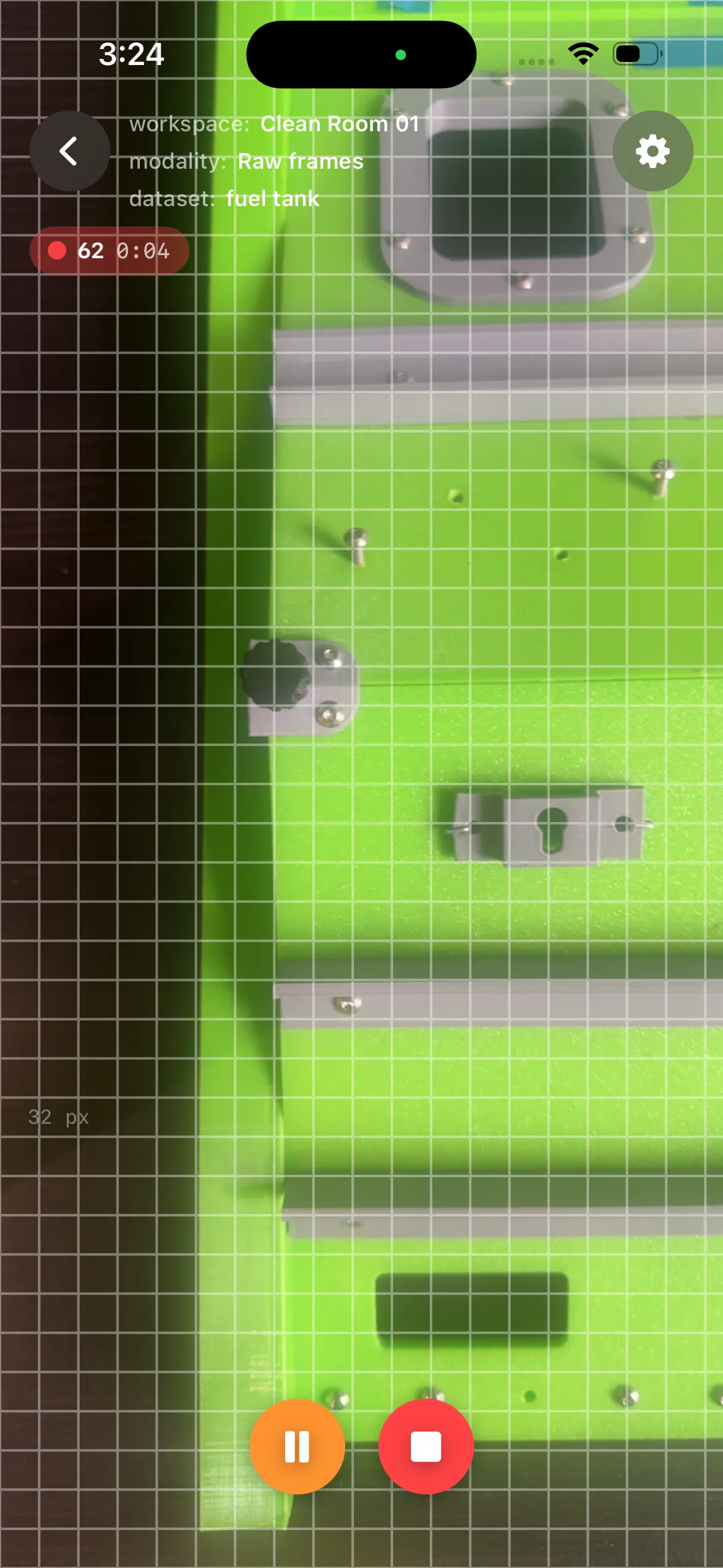
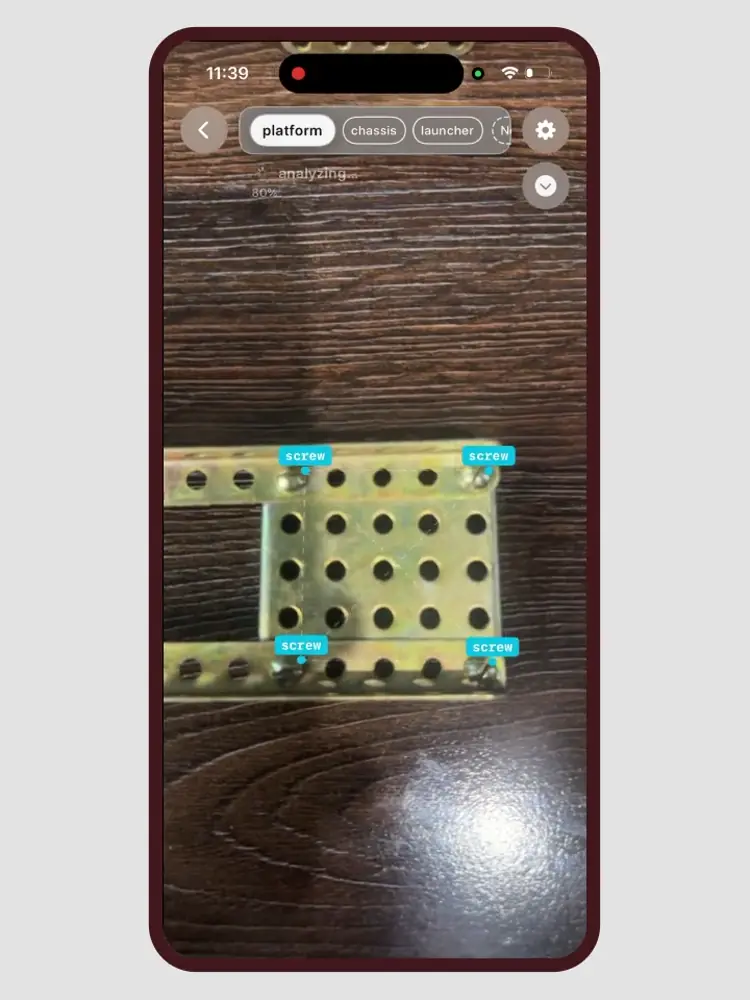
Training a vision system starts with data, and our system puts that step in the hands of the people who know the product best. Using the same mobile app that later runs inspection, a quality engineer or line operator captures short video of each assembly area directly at the workstation.
- No tripods, lab conditions, or machine vision expertise required. Capture happens where the work happens.
- Real-time guidance for object scale, viewing angle, and lighting, including small fasteners at sufficient resolution for reliable detection.
- A typical capture session takes under three minutes per station, covering all zones and components that define a correct build.
The result is a production-representative dataset which becomes the single source of truth for component detection, zone definition, and assembly validation downstream.
02
One-Shot Labeling
Traditional computer vision projects spend weeks on manual annotation, drawing thousands of bounding boxes or polygons across thousands of images. We eliminate that bottleneck entirely.
-
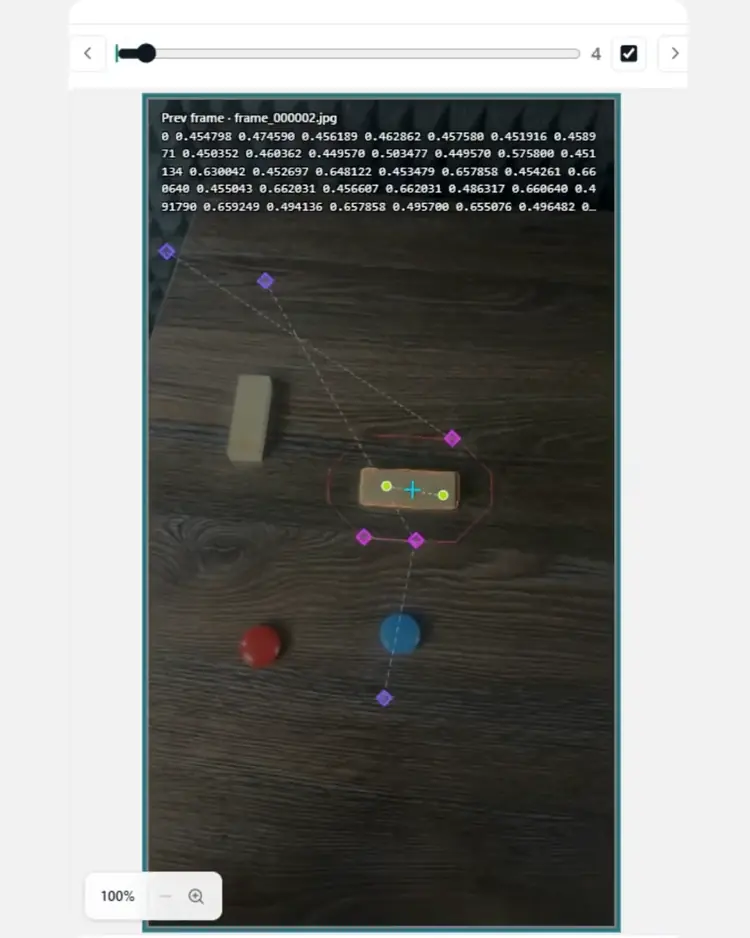
Single reference frame
An engineer labels one frame, identifying each component class with a few clicks; the system propagates annotations across the full dataset using a self-supervised segmentation pipeline.
-
Curation built in
Rules filter low-quality frames and correct boundary drift, producing clean, training-ready labels with no additional human review.
-
Speed at scale
Labeling for a multi-class assembly with up to 25 distinct component types typically completes in minutes.
Critically, all data processing happens on-premise: raw imagery, annotations, and trained models never leave the enterprise network, meeting the data sovereignty requirements of defense, aerospace, and government customers without exception.
03
Assembly Definition and Synthetic Failure Modes
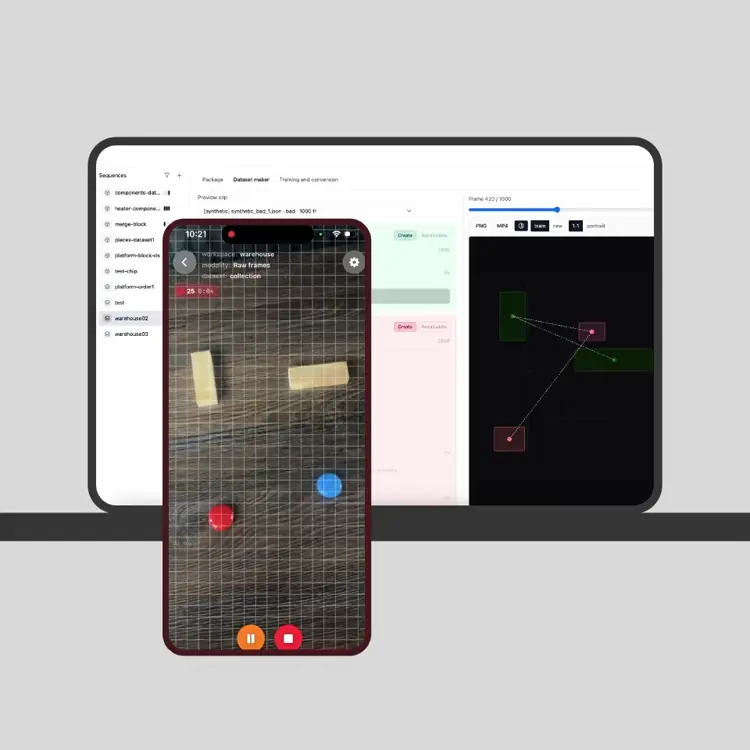
Once a dataset of correctly built assemblies exists, the system derives the acceptance criteria directly from the data: what a correct spatial arrangement of components looks like, how many of each part should be present, and where they belong relative to one another.
-
Synthetic failure modes
From the learned baseline, the system generates data representing hundreds of plausible failures: missing fasteners, extra components, swapped parts, and misaligned arrangements.
-
Engineer control
Teams select specific failure types or randomize across possible defects to reflect uncertainty the model may see in production.
-
No staged teardowns for every case
The inspection model trains on both real correct builds and realistic incorrect configurations without physically disassembling hardware for every failure scenario.
04
No-Code Assembly Line Configuration
Deploying an inspection session to the shop floor requires no scripting, no configuration files, and no involvement from a software team.
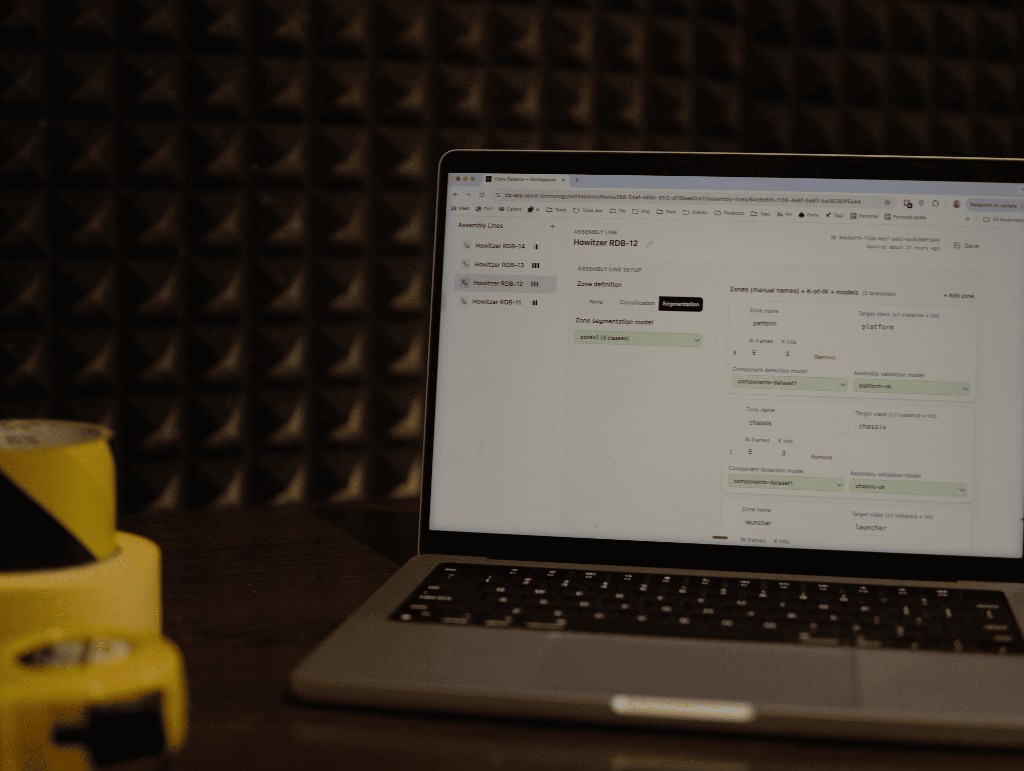
- Through a visual configuration interface, a senior engineer or quality lead composes an assembly line: zones, models per zone, and consensus thresholds.
- Multiple zones, each with its own component model and acceptance criteria, compose into a single inspection flow that reflects the physical workstation.
- When builds change, new product variants arrive, or line layouts shift, configuration updates push to operators in minutes.
This makes the pipeline practical in high-mix, low-volume environments where frequent changeovers are the norm rather than the exception.
05
Real-Time Inspection and Audit Trail
On the line, the operator points the device at each assembly zone and receives an immediate pass or fail verdict, typically within one to two seconds of the camera acquiring the scene.
-
Actionable failures
When a build fails, the system gives specific reasons: missing fastener, extra component, or deviation from the trained baseline. It identifies the zone and, for simple assemblies, the likely root-cause part.
-
Audit record
Every inspection event is logged with timestamp, operator identity, zone, verdict, model version, and raw score. A digital record suitable for ISO 9001, AS9100, and similar quality frameworks.
-
Supervisor visibility
Shift supervisors and quality managers review history by batch, router number, or time window. Traceability for auditors without paperwork in the operator workflow.
What you configure
-
Target surface & geometry
Flat panels, curved composites, machined metal, coated structures — the pipeline adapts to your material and geometry constraints.
-
Defect taxonomy
Define the exact defect classes relevant to your process: presence/absence, surface damage, dimensional deviation, markings, FOD.
-
Acceptance criteria
Set confidence floors per defect class. Below-threshold findings are automatically routed to qualified engineers rather than auto-accepted.
-
Inspection workflow
Step-by-step UI prompts, required captures per station, and pass/fail criteria matched exactly to your work instruction.
-
Escalation rules
Define which finding types trigger immediate escalation, who receives them, and what data is attached — removing ad-hoc email chains.
-
ERP & QMS integration
REST webhook or direct connector to your SAP, Oracle, or custom QMS. Inspection records flow out automatically with no re-entry.
Delivery
1 week
Time-to-live for a first use case. From initial requirements to a working app in your hands.
24 hours
Reconfiguration time for a new part family once the base pipeline is deployed.
~1 hour
Time to add a new variation or defect class to an existing model via guided capture.
Fully offline-first
All inference runs on-device via CoreML. No connectivity required on the shop floor. Sync to backend occurs when Wi-Fi is available.
Continuous improvement
Models retrain as new data is collected in production. Updates ship via ABM.
Built on
Two proven inspection engines, adapted to your requirements
Custom engagements are built on the Inventor or Roboscope platform depending on whether your process calls for hand-held assembly inspection or large-surface spatial defect registration. You get a production-hardened foundation, not a prototype.
Inventor engine
Assembly & surface inspection. Hand-held, on any production part.
- Presence, placement, orientation checking
- Surface defect detection (scratches, burrs, cracks, FOD)
- Dimensional verification and text recognition
- ±10 mm positional accuracy
Roboscope engine
AR spatial inspection for large industrial surfaces without disassembly.
- AR defect anchoring (~5 cm accuracy on large surfaces)
- Layup Registration Table — maps defects to composite ply stack
- On-device defect classification and severity grading
- ERP/QMS sync with full audit trail
Industries
-
Aerospace composites
Structural panel and fuselage section QC, ply stack deviation, FOD detection, and surface anomaly grading against AS9100 criteria.
-
Wind turbine manufacturing
Blade surface inspection, leading edge assessment, layup registration, and automated defect-to-repair-class mapping.
-
Precision machined components
Dimensional verification, surface finish grading, and feature presence checks on high-tolerance parts.
-
Electronics assembly
Component presence and placement verification, solder joint inspection, and marking legibility checks at line speed.
-
Construction & marine
Large concrete, steel, and hull structure assessment — corrosion mapping, coating failure detection, and crack propagation tracking.
Off-the-shelf products
Product
Spiral Inventor
Mobile, AI-powered visual inspection for high-mix, low-volume assembly lines. Reconfigure the part registry without re-engineering the line.
Product
Spiral Roboscope
AR + AI inspection with spatial defect registration for large composite parts, wind turbine blades, and aircraft structures.
Contact
Start a conversation.
Ready to automate visual inspection on your production floor?